A faceless YouTube channel does not need to be a nameless feed of stock clips and borrowed opinions. The strongest version gives viewers a useful reason to return: a skill they can practice, a decision they can make, a problem they can solve, or a point of view they cannot get from a generic search.
That is good news for private creators. You do not have to turn your bedroom, your family, or your face into the product. You do need a topic that can survive more than one upload and a format that lets the value show up on screen. The channel becomes memorable because the work is clear, not because the creator is constantly visible.
The question is not simply, “What faceless YouTube channel should I start?” A better question is, “What can I explain, show, test, arrange, or curate in a way someone else will want again next week?” That shift keeps the idea grounded in a real viewer need instead of a promised shortcut.
Start with a channel promise, not a vague niche
Broad labels such as lifestyle, motivation, or business make channel decisions harder because they do not tell you what a viewer receives. A channel promise is more useful. It combines a person, a problem, and a repeatable format: “quiet planning systems for private creators,” “hands-only repairs for first-time apartment renters,” or “calm music discovery for long work nights.”
The promise does not need to sound like a slogan. It is a filter for ideas. If a future video does not help the same viewer make a related decision, learn a related skill, or enjoy the same kind of experience, it belongs somewhere else. That makes the channel easier to recognise and easier for you to run.
If you are still choosing the larger brand lane, the faceless digital marketing guide explains how content, trust, and an offer can work together without making your private life the public show. This article narrows that thinking to a YouTube format.
Choose visuals you can actually make
A faceless channel becomes sustainable when its production method fits your real life. Before picking a topic, write down what you can show without forcing a performance: your hands, a screen, a desk, objects, a process, a whiteboard, an archive, original footage, voiceover, text-led animation, or a recurring visual style.
A good topic needs both an audience question and a visual answer. “How do I organise a first digital product?” can become a screen recording, a notebook breakdown, a product walk-through, or a simple before-and-after. “What should I listen to while working?” can become a carefully curated listening guide with original commentary. The visual is not decoration. It is how the viewer understands the point without needing you on camera.
10 faceless YouTube channel ideas that can hold up
These ideas are starting formats, not boxes. Each works because it has a clear viewer job and a practical way to make the value visible.
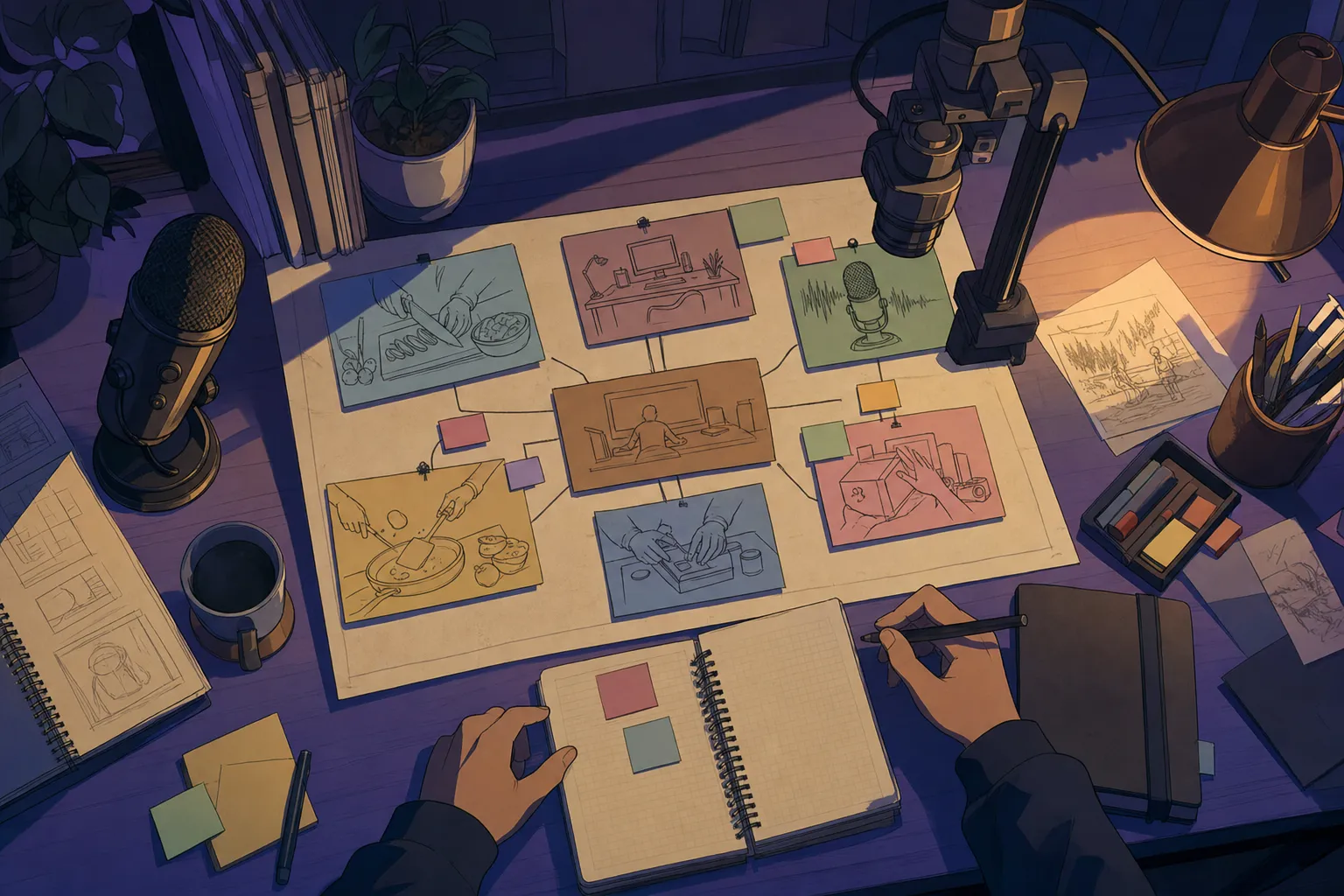
1. Hands-only tutorials. Show a craft, repair, recipe, desk setup, packing process, or product-making step from above. The viewer comes for the process, so the creator never needs to be the subject.
2. Screen-recorded workflows. Teach one useful software, planning, design, research, or editing workflow. Explain the decisions that matter and the mistakes that waste time instead of narrating every click.
3. Resource shelves. Curate a small group of tools, books, references, or services for one specific job. The value is your selection standard and the context around every recommendation, not a pile of links.
4. Product and process breakdowns. Take apart a useful digital product, landing page, packaging decision, or customer path. Show what is clear, what is confusing, and what you would improve. This gives viewers a practical way to think, not just an opinion.
5. Quiet study or work sessions. Build a channel around focused environments, original ambience, planning prompts, or guided work blocks. This works best when the room has a distinct feeling and the sessions serve a clear use case, rather than acting as generic background noise.
6. Visual explainers. Use simple diagrams, original illustrations, objects, and voiceover to explain an idea that benefits from a calmer pace. Pick topics you can research carefully and return to with a clear angle.
7. Before-and-after decision videos. Compare a vague first draft with a stronger version: a product title, content plan, workspace, website section, playlist order, or routine. Explain why the change helps so the viewer can apply the lesson elsewhere.
8. Themed channel series. Repeat one useful format each week: one small creative system, one beginner mistake, one product choice, one reference worth studying, or one calm work ritual. A series makes the channel easier to recognise and reduces the pressure to invent from scratch.
9. Voice-led stories with original visuals. Share researched stories, creative lessons, or behind-the-scenes decisions using footage and visuals you made, licensed material you can use, or clearly transformed source material. The voice and editorial judgment are the product.
10. Digital-product field notes. Document the work of choosing, shaping, testing, and explaining a small guide, template, or starter kit. This gives prospective buyers useful context and turns the product build into a real content lane.
Use the idea test before you make the channel art
A channel name, logo, and banner can wait. First test whether an idea can support twelve useful videos. List twelve titles without looking at trends or other channels. If the titles all sound like the same video with a different adjective, the lane is probably too thin. If the titles start to branch into questions, examples, mistakes, comparisons, and next steps, you have material.
Then test the production cost. Can you make one video with the tools, time, and energy you have this month? Can you make four without needing a completely new setup every time? The best faceless YouTube channel ideas have a repeatable production floor. A quiet creator does not need the most elaborate visual system; they need one they can maintain long enough to get better.
The faceless content ideas guide can help expand a promising channel lane into smaller posts, written pieces, and product-related content without repeating the exact same message everywhere.
Make the viewer's first choice easy
A new channel has to help a stranger decide whether to spend the next few minutes with you. That decision starts before the play button. The title should name a specific question, outcome, or tension. The thumbnail should make the subject easy to recognise at a glance. Neither needs to be loud, mysterious, or overloaded with tiny text.
Keep the first few video packages practical. “Three faceless video formats for a first product” is clearer than “My content secrets.” “A quiet creator's content-bank setup” tells the viewer what they will see. Once you have a few uploads, review which questions, visual treatments, and promises make the right people stay. You are not trying to attract everyone; you are trying to become useful to a particular kind of viewer.
Do not build the brand around clickbait you cannot fulfil. An honest video can still be compelling when the promise is concrete: a decision, a process, a before-and-after, or a tested set of options. That protects the kind of trust a faceless creator needs most, because viewers are evaluating the work before they have any personal familiarity with the person behind it.
Make the first six videos do different jobs
Your first upload does not need to explain your entire life or become a cinematic origin story. It needs to help someone. A smart first set gives the channel range while staying inside one promise: one clear beginner lesson, one common mistake, one process walk-through, one comparison, one useful opinion, and one video that points toward the next step.
For example, a channel for private creators might begin with “How to choose a faceless content lane,” “Three channel formats that do not require a talking head,” “A simple content-bank setup,” “Guide versus template: choose the right first product,” “Why more posts are not always the answer,” and “How to connect a useful video to a digital offer.” Every video serves the same person, but each earns attention in a different way.
YouTube itself recommends using search and audience signals in its tools when developing titles and thumbnails, then measuring how different viewers respond. Its title and thumbnail guidance is worth using after you have a real video idea, not before. A strong title cannot rescue a video that has no clear promise.
Build originality into the format
Faceless does not mean automatic. It is tempting to build a channel from recycled clips, generic voiceovers, and a template that could belong to anyone. That path makes the content harder to trust and harder to keep distinct. A better question is: what does this video include that would be missing if someone else made it?
Your answer might be a tested workflow, a clear explanation, a curated standard, an original visual world, a useful comparison, or a specific point of view. It can be quiet and still be unmistakably yours. YouTube's monetization policy on reused content makes the practical standard clear: reused material needs a meaningful difference that viewers can recognise. Treat that as a creative standard, not just a rule to work around.
This is also why a channel should not promise easy money. A channel can create several paths later, but first it needs useful work, repeatable ideas, and an audience that knows what the channel is for. The offer comes after the trust, not before it.
Let the channel lead somewhere useful
The right next step depends on the viewer. Some need another video. Some need a practical checklist, a guide, a curated resource, or a product that saves them time. Give each video one natural path, then make sure the destination completes the help instead of abruptly asking for a sale.
For a private creator building their first product path, the Faceless Content Creation page maps the relationship between a content lane and a real offer. The Faceless Digital Products guide is the next layer when the audience problem points toward a small paid resource.
Keep the channel description, links, and video calls to action clean. A viewer should never have to wonder whether the channel is a tutorial, a shop, an affiliate page, or a personal diary. It can be more than one thing over time, but every video needs one clear job.
How SynRoom Studio approaches the quiet channel
SynRoom Studio is built around rooms, personas, moods, music, and practical creator systems. That makes it a useful example of a faceless channel principle: the world can do some of the work a talking head usually does. The visual world gives people a reason to recognise the work, while each piece still has a clear purpose.
The Silent Seller guide helps turn that channel idea into a brand and product path. Use it when you have a promising topic but need a sharper offer, clearer positioning, and a cleaner route from useful content to something people can choose.
SynDigital Shop
Build the channel around something real.
Use the Silent Seller guide to turn a quiet content lane into a clearer brand, first offer, and useful next step.
Frequently asked questions
What are good faceless YouTube channel ideas for beginners?
The best beginner idea is one that can answer a repeatable question through visuals you can reliably create. Tutorials, practical comparisons, desk-based processes, curated resources, product walkthroughs, and calm educational explainers are stronger starting points than a broad channel that tries to cover everything.
Can I start a YouTube channel without showing my face?
Yes. You can use screen recordings, hands-only demonstrations, voiceover, text-led visuals, product shots, animation, original footage, or a recurring visual world. The channel still needs a clear point of view and useful content; privacy is a format choice, not the whole strategy.
Do faceless YouTube channels make money?
A faceless channel can support several income paths, including ads when eligible, digital products, affiliate recommendations, sponsorships, and services. None of those are guaranteed. A stronger early goal is to earn trust around one useful topic, then offer a clear next step that fits the viewer's problem.
What should I avoid on a faceless YouTube channel?
Avoid building the channel around recycled clips, vague AI narration, copied scripts, or a topic you cannot sustain. YouTube's monetization rules require creators to add meaningful original value when they use reused material, so build every video around your own explanation, research, examples, or transformation.